Managing your Google Business Profile content just got easier.
With Google Business Profile (GBP) Post Sync, you can automatically import your existing GBP posts into Social Planner and manage both historical and newly published content from a single dashboard.
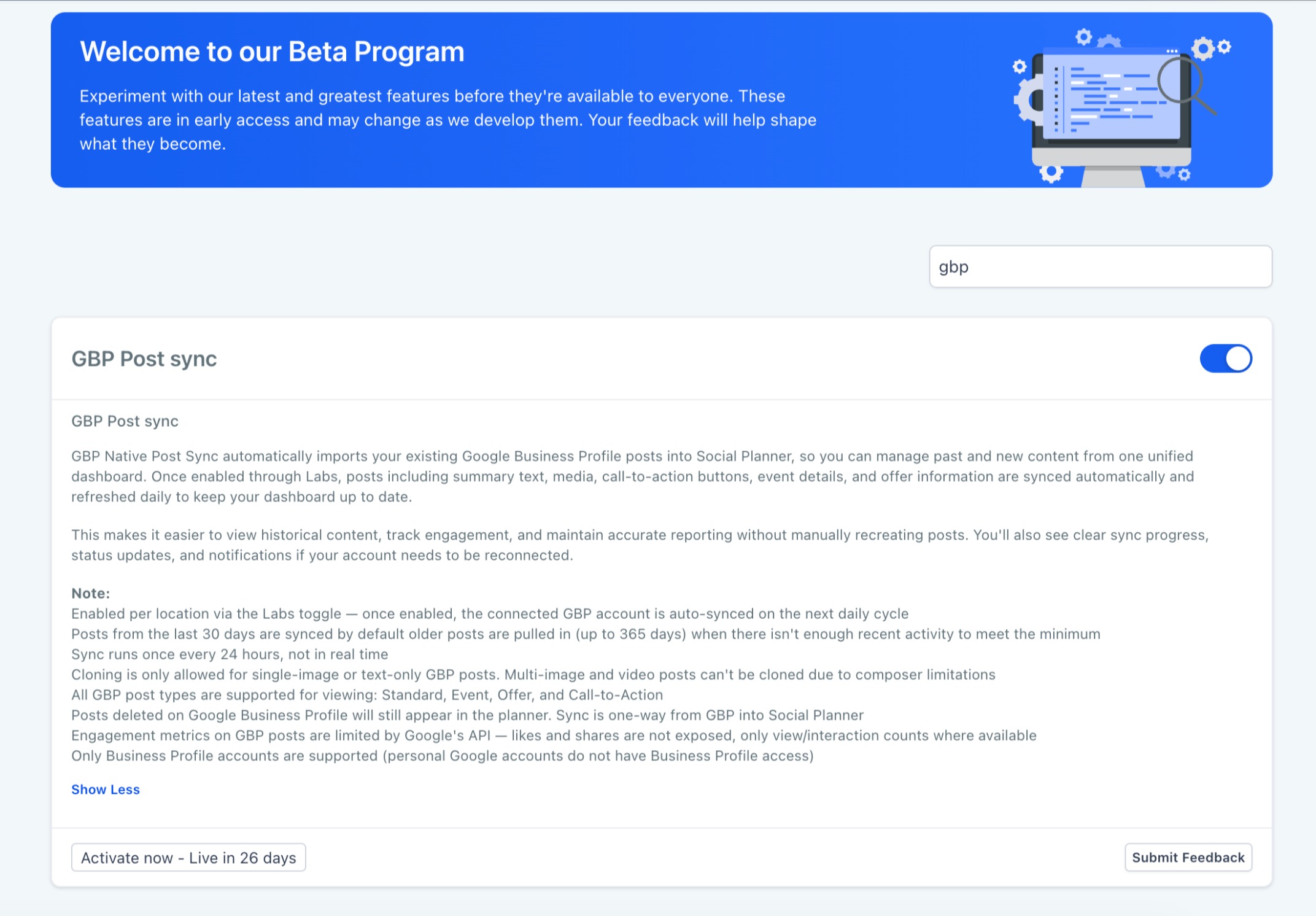
Note: Available through Labs. Enable the feature to start syncing your Google Business Profile posts.
What's new
- Automatically Sync Existing GBP Posts. Import your published Google Business Profile posts directly into Social Planner, including:
- Standard Posts
- Event Posts
- Offer Posts
- Call-to-Action Posts
- Synced posts retain key details such as:
- Summary text
- Images and media
- Call-to-action buttons
- Event information
- Offer details
- Unified Content Management
- View your synced Google Business Profile posts alongside scheduled and published content from your other social channels, giving you a complete view of your content calendar in one place.
- Automatic Daily Sync
Posts and supported engagement data are refreshed every 24 hours to keep your content history up to date. You'll also receive clear sync status updates and reconnect prompts if your Google Business Profile account requires attention.
How to use this feature
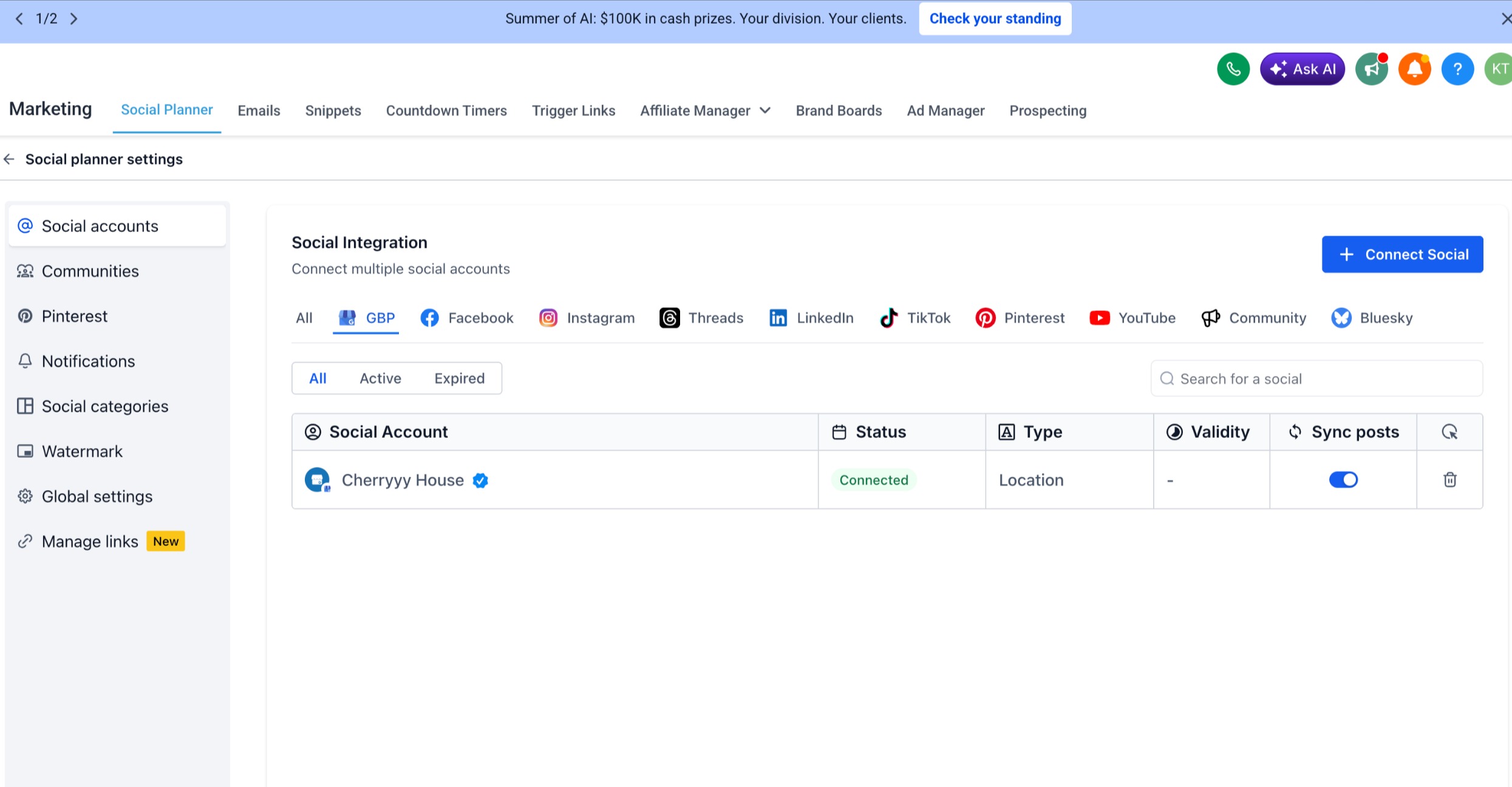
- Go to Marketing → Social Planner → Settings
- Enable Google Business Profile Post Sync
- Allow the initial sync to complete
- View your synced posts inside Social Planner
Why it matters
- Manage Google Business Profile content alongside your other social channels
- Import historical posts without manual recreation
- Improve reporting with a complete content history
- Simplify content management for businesses and account with multiple locations
- Save time by keeping everything in one place
Notes
- Available through Labs and must be enabled for each location
- By default, posts from the last 30 days are synced. If fewer posts exist, older posts (up to 365 days) are imported automatically
- Sync runs every 24 hours and is not real-time
- Cloning is supported for text-only and single-image posts only
- Multi-image and video posts cannot be cloned due to composer limitations
- Engagement metrics are limited to data supported by Google Business Profile APIs
- Deleted Google Business Profile posts continue to appear in Social Planner, as sync is one-way (GBP → Social Planner)
- Supported only for Google Business Profile accounts
Was this article helpful?
That’s Great!
Thank you for your feedback
Sorry! We couldn't be helpful
Thank you for your feedback
Feedback sent
We appreciate your effort and will try to fix the article