What' New?
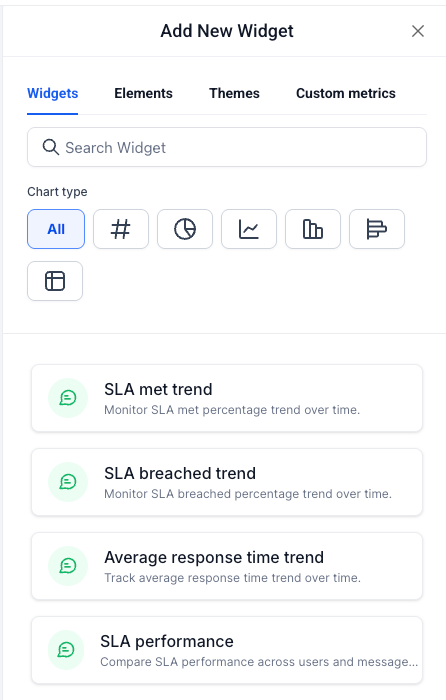
Four new SLA widgets are now available at the bottom of the Conversations section in the Dashboards widget panel
Track SLA met trend, SLA breached trend, average response time trend, and SLA performance across users and channels — all in one place
Each widget supports filtering by Assigned user and Message channel (Call, SMS, Email, Web chat, Facebook, GMB, Instagram) for precise segmentation
Works alongside the existing Conversations widgets you already have on your dashboard — no separate setup needed
SLA met and SLA breached are already available as dimensions in Custom Metrics — build KPIs like SLA Compliance Rate using the formula builder today
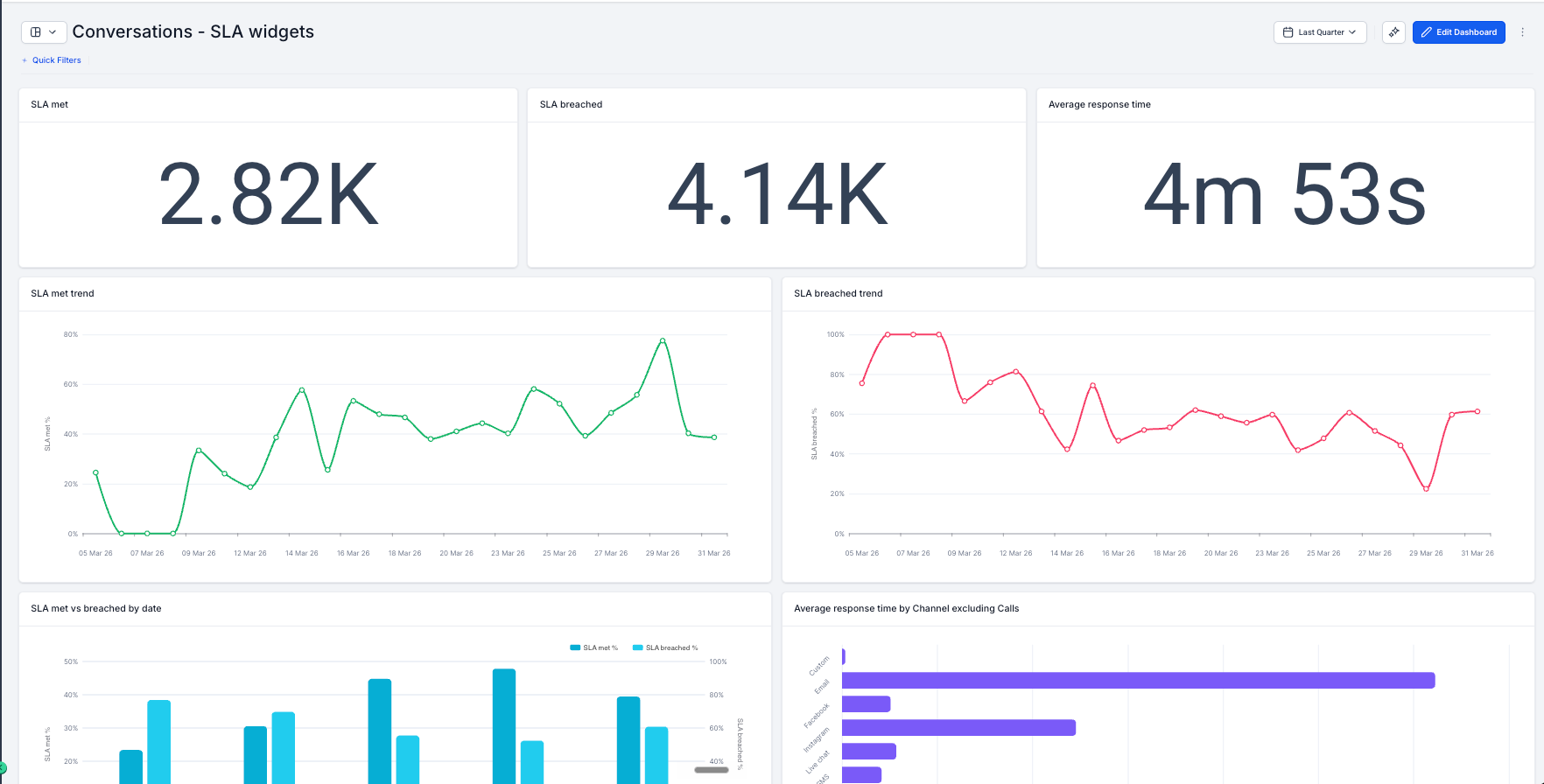
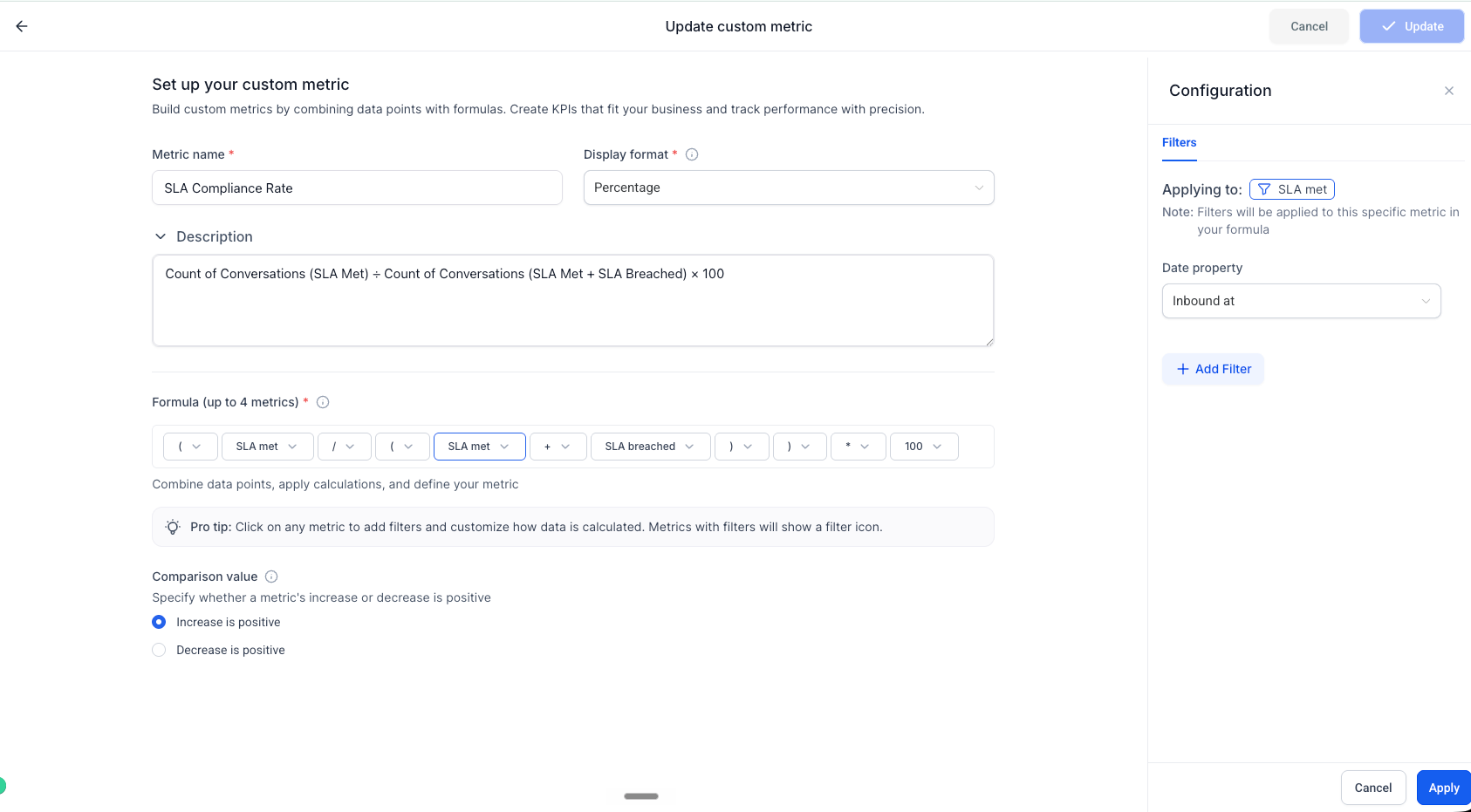
How It Works:
Open any dashboard and click Edit Dashboard
Click + Add Widget and scroll to the Conversations section
The four SLA widgets are listed at the bottom — pick one, configure filters and chart type, and click Save Changes
Why It Matters:
Close the loop on conversation tracking — You already track volume and assignments in Dashboards. SLA widgets add the missing layer: were those conversations actually handled on time?
Spot breach patterns before clients do — SLA breached trend shows exactly which time periods had the most SLA misses, so you can investigate and fix before it becomes a client conversation
Track team speed over time — Average response time trend tells you whether your team is improving, plateauing, or slipping — not just what the number is today
See performance by person and channel — SLA performance breaks down met and breached rates across users and message channels, giving managers a fair, data-backed view of individual performance
What's Next?
NA
Notes:
Conversations SLA widgets are limited to a 1-year date range
All widgets support filtering by Assigned user and Message channel
Available on all plans that include Dashboards & Reporting
Was this article helpful?
That’s Great!
Thank you for your feedback
Sorry! We couldn't be helpful
Thank you for your feedback
Feedback sent
We appreciate your effort and will try to fix the article